How to Stylize Your MacBook in 2026?

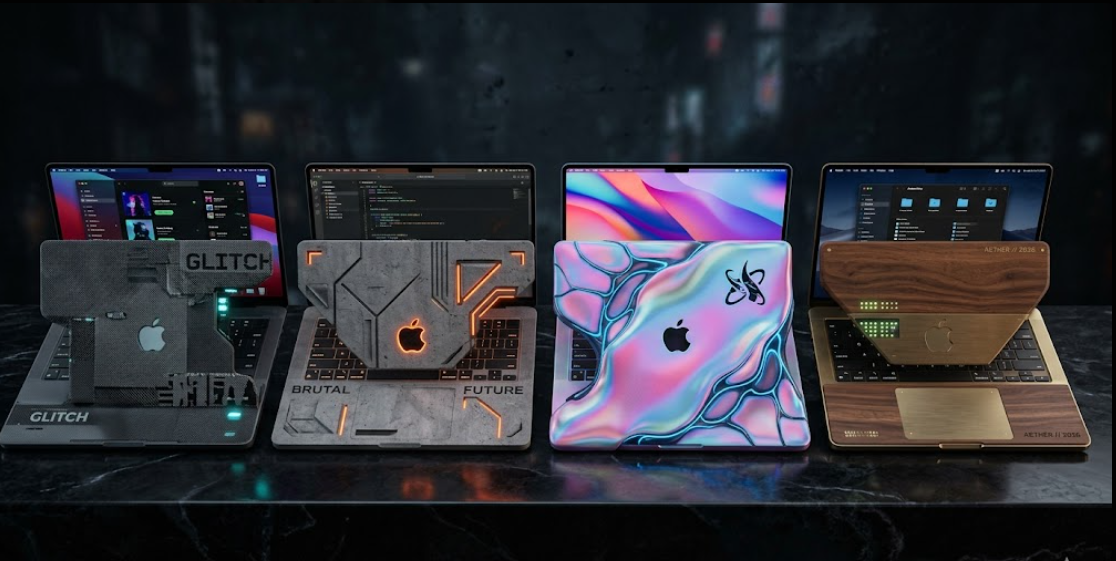
Stylizing a MacBook in 2026 focuses on combining visual personalization, functional accessories, and a clean digital workspace. Users increasingly treat MacBook devices from Apple as part of personal identity and professional branding. Proper customization improves productivity, comfort, and aesthetic appeal while maintaining system efficiency and long term usability.
How to Stylize Your MacBook in 2026?
Stylizing a MacBook requires a structured approach that balances appearance and usability. The process involves customizing macOS settings, selecting external accessories, and designing a consistent workspace theme. The goal is to create a unified visual system across hardware and software without reducing performance or productivity.
Step 1: Define a Visual Direction
Start by selecting a consistent visual theme for your MacBook setup. A clear direction prevents random styling choices and improves long term coherence.
- Minimal professional style with neutral colors
- Creative vibrant style with bold accents
- Dark mode focused cinematic style
- Nature inspired green and wood tone style
A defined theme ensures all future changes align with one visual identity.
Step 2: Customize macOS Appearance
macOS provides built in customization options that influence the overall look of your MacBook interface.
- Enable Light Mode or Dark Mode depending on your theme
- Adjust accent colors inside system settings
- Modify desktop wallpaper using high resolution images
- Organize desktop icons into structured folders
- Use Stage Manager for cleaner window arrangement
These adjustments create the foundation of a visually consistent system.
Step 3: Align Applications With Theme
Application styling improves overall visual harmony across the MacBook system.
- Select browser themes that match your desktop style
- Use consistent extensions for tab organization
- Enable dark mode in supported applications
- Align email and productivity tools with chosen color tone
Consistency across applications reduces visual clutter and improves focus.
Choosing a MacBook Aesthetic Theme
A MacBook aesthetic theme defines the overall identity of the device. It influences wallpapers, accessories, and workspace design. Selecting a theme early helps maintain visual balance across all elements.
Minimal Professional Theme
A minimal professional theme focuses on clarity and productivity. It uses neutral colors such as white, gray, and black. This style is widely used in corporate environments and digital marketing workspaces.
Key characteristics include:
- Clean desktop layout
- Minimal icons and widgets
- Monochrome accessories
- Simple wallpaper designs
This theme supports high productivity and reduced distraction.
Creative Digital Theme
A creative digital theme focuses on expressive visuals and artistic freedom. It is suitable for designers, content creators, and multimedia professionals.
Key characteristics include:
- Bright and colorful wallpapers
- Custom icon packs
- Animated screensavers
- Artistic desk accessories
This theme enhances inspiration and creative thinking.
Nature Inspired Theme
A nature inspired theme uses natural colors and organic textures. It creates a calm digital environment.
Key characteristics include:
- Green and earth tone wallpapers
- Wooden or bamboo accessories
- Soft lighting setup
- Minimal digital clutter
This theme supports relaxation and long working sessions.
Customizing macOS Interface for Visual Control
macOS interface customization plays a central role in MacBook styling. Proper configuration improves both appearance and usability.
Desktop and Dock Optimization
Desktop and Dock customization directly affects visual cleanliness.
- Hide unused desktop icons
- Enable automatic Dock hiding for more space
- Adjust Dock size for balanced visibility
- Place essential apps only in Dock
A clean desktop improves focus and reduces distraction.
Widget and Control Center Styling
Widgets and Control Center elements add functional design layers.
- Add weather and calendar widgets for utility
- Match widget colors with theme selection
- Reduce widget count for minimal layout
- Organize Control Center shortcuts strategically
Proper widget use improves both aesthetics and workflow efficiency.
Typography and Display Settings
Typography settings influence readability and visual comfort.
- Increase font clarity for long work sessions
- Adjust display scaling for balanced spacing
- Use high resolution wallpaper for sharp visuals
Clear typography supports professional usability.
Hardware Styling Accessories for MacBook
Hardware accessories significantly enhance MacBook appearance and protection. Selection should match the overall aesthetic theme.
Protective Skins and Covers
MacBook skins provide surface protection and visual customization.
- Matte finish skins for professional style
- Textured skins for creative setups
- Transparent covers for original design visibility
Skins allow personalization without permanent modification.
External Peripherals
Peripherals improve both functionality and design consistency.
- Matching wireless mouse and keyboard
- Color aligned laptop stands
- Minimalist USB hubs and docking stations
Consistent peripherals strengthen overall visual identity.
Desk Accessories
Desk accessories complete the MacBook environment.
- Cable management organizers
- Neutral desk mats
- Adjustable laptop stands
- Ambient LED lighting panels
A well designed desk improves focus and presentation.
Workspace Setup for Visual Impact
A MacBook setup extends beyond the device itself. Workspace design plays a major role in overall styling.
Lighting Design Strategy
Lighting directly affects visual comfort and device appearance.
- Use soft white lighting for productivity
- Use warm lighting for relaxation environments
- Add indirect LED lighting behind desk setup
Balanced lighting reduces eye strain and improves aesthetics.
Desk Organization System
Organized spaces enhance MacBook styling effectiveness.
- Keep only essential items on desk
- Store cables using hidden routing systems
- Use vertical storage for documents
A clean workspace improves mental clarity.
Multi Device Integration
Modern MacBook setups often include multiple Apple ecosystem devices.
- Synchronize iPhone and MacBook layouts
- Use Apple ecosystem continuity features
- Align visual themes across devices
This creates a unified digital environment across Apple devices.
Performance and Clean Maintenance
Stylization must include performance maintenance to ensure long term usability of MacBook systems from Apple.
Storage Management Practices
Efficient storage management improves speed and appearance.
- Remove unused files regularly
- Organize folders by category
- Use cloud storage for large files
Clean storage supports system performance.
System Optimization Routine
Regular optimization keeps MacBook running efficiently.
- Update macOS regularly
- Clear cache files periodically
- Monitor startup applications
A stable system supports consistent user experience.
Visual Cleanliness Maintenance
Visual maintenance preserves aesthetic design.
- Refresh wallpapers periodically
- Remove unused desktop shortcuts
- Reorganize Dock every month
Maintenance ensures long term design consistency.
Frequently Asked Questions
How often should MacBook appearance be updated
MacBook appearance should be updated every two to three months to maintain visual freshness and avoid design fatigue.
Do MacBook skins damage the device surface
High quality MacBook skins do not damage the surface when applied and removed correctly according to manufacturer guidelines.
Can macOS themes improve productivity
macOS themes can improve productivity by reducing visual clutter and creating a focused digital environment.
What is the most popular MacBook styling trend in 2026
Minimal professional styling remains the most popular trend due to its clean design and productivity benefits.
Is external lighting necessary for MacBook setup styling
External lighting is not required but improves visual presentation and reduces eye strain during long working hours.
Conclusion
MacBook styling in 2026 combines structured design choices with practical system optimization. A balanced approach enhances both appearance and usability. Proper customization of macOS, accessories, and workspace elements creates a consistent digital environment. This method supports professional productivity while maintaining a visually refined MacBook experience aligned with modern design standards.