How to Turn a Normal PC Into High Tech Gaming PC?

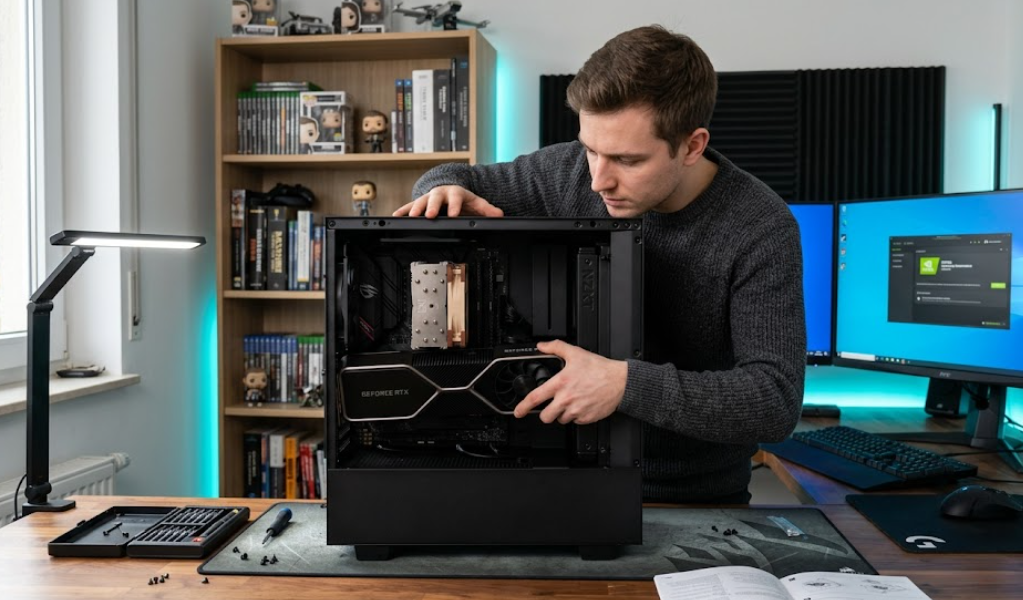
Turning a normal PC into a high tech gaming PC requires strategic hardware upgrades and system optimization. This guide explains practical steps to improve performance, graphics quality, and speed without replacing your entire system. You will learn how to upgrade components, optimize settings, and enhance gaming experience efficiently step by step.
How to Turn a Normal PC Into High Tech Gaming PC?
A normal PC can become a high performance gaming PC through targeted upgrades and proper configuration. The transformation starts with identifying performance bottlenecks such as weak graphics, low memory, slow storage, or outdated processing power.
The most important upgrade is the graphics card because gaming performance depends heavily on GPU power. A dedicated GPU improves frame rates, texture quality, and rendering speed. A mid-range or high-end GPU significantly changes gaming capability even on older systems.
The second important step is upgrading the processor if the motherboard supports it. A modern CPU improves game logic processing, physics calculations, and multitasking performance. Gaming performance becomes stable when CPU and GPU are balanced.
The third step is increasing RAM capacity. Most modern games require at least 16GB RAM for smooth performance. Upgrading from 8GB to 16GB or 32GB removes lag and improves system responsiveness.
Storage upgrade also plays a major role. Installing an SSD instead of a hard drive reduces game loading time and improves system boot speed. NVMe SSDs provide even faster data transfer rates.
Power supply and cooling must also be checked. A strong PSU ensures stable power delivery. Proper cooling prevents overheating during long gaming sessions.
Upgrade Graphics Card for Gaming Performance
Why GPU matters in gaming systems
The graphics card determines how well a PC renders visual elements in games. A strong GPU increases frame rates and improves resolution quality. It also enables advanced features like ray tracing and high texture settings.
Modern games rely heavily on GPU processing. Without a dedicated graphics card, even basic games may run with low performance. A GPU upgrade delivers the fastest visible improvement in gaming quality.
How to choose the right GPU upgrade
Selecting a GPU depends on budget and gaming resolution. A 1080p gaming setup works well with mid-range GPUs. A 1440p or 4K setup requires high-end graphics cards.
Compatibility with motherboard and power supply is important. The PC case must also support GPU size. Checking PCIe slot version ensures proper installation.
Improve Processor and Memory Capacity
CPU upgrade considerations for gaming performance
The processor handles game physics, AI behavior, and system instructions. A weak CPU causes bottlenecks even with a strong GPU.
Upgrading to a multi-core processor improves gaming stability. Modern games perform better with 6-core or 8-core CPUs. Clock speed also impacts responsiveness during gameplay.
Motherboard compatibility must be checked before CPU upgrade. Some systems require BIOS updates to support newer processors.
RAM requirements for modern gaming
RAM affects multitasking and game loading performance. Low RAM causes stuttering and frame drops in modern games.
Upgrading to 16GB RAM is recommended for standard gaming. Competitive and heavy gaming setups often use 32GB RAM.
Dual-channel memory configuration improves bandwidth and system efficiency. Matching RAM sticks ensures stable performance.
Install SSD and Optimize Storage
SSD upgrade for faster gaming performance
Solid State Drives improve system speed by reducing data access time. Games installed on SSD load significantly faster than traditional hard drives.
System boot time also improves after SSD installation. Game maps and textures load smoothly without delay.
NVMe vs SATA storage options
NVMe SSDs provide higher speed compared to SATA SSDs. NVMe drives use PCIe lanes for faster data transfer.
SATA SSDs still offer strong performance improvements over HDDs. They are cost-effective for basic gaming upgrades.
Choosing between NVMe and SATA depends on motherboard support and budget constraints.
Power Supply and Cooling System Upgrade
PSU requirements for gaming PCs
A stable power supply ensures safe operation of gaming components. High performance GPUs and CPUs require more wattage.
A 550W PSU is suitable for basic gaming setups. High-end systems may require 750W or more.
A certified PSU improves energy efficiency and protects hardware from voltage fluctuations.
Cooling systems for stable gaming performance
Cooling prevents overheating during heavy gaming loads. High temperatures reduce performance and damage components over time.
Air cooling uses fans and heat sinks for temperature control. Liquid cooling provides advanced thermal management for high performance systems.
Proper airflow inside the PC case improves cooling efficiency.
Software Optimization for Gaming PC
Windows settings for gaming optimization
Windows settings affect gaming performance significantly. Disabling background applications frees system resources.
Game mode in Windows prioritizes gaming performance. Power settings should be set to high performance mode.
Disk cleanup and startup management improve system speed.
Driver updates and system optimization
Updated GPU drivers improve compatibility and performance. Manufacturers release frequent updates for gaming optimization.
Chipset drivers improve communication between CPU and motherboard. Regular updates reduce system errors and improve stability.
Game optimization software can automatically adjust settings for better performance.
Frequently Asked Questions
Can a normal PC run modern games after upgrades
A normal PC can run modern games after upgrading GPU, RAM, and storage to meet system requirements.
What is the most important upgrade for gaming performance
The graphics card is the most important upgrade because it directly affects frame rates and visual quality.
How much RAM is required for gaming PCs
Most gaming PCs require at least 16GB RAM for smooth performance in modern titles.
Is SSD necessary for gaming performance
SSD is not mandatory but significantly improves loading speed and system responsiveness.
Conclusion
Transforming a normal PC into a high tech gaming PC requires careful hardware selection and system tuning. Each upgrade improves a specific performance area. A balanced configuration delivers stable gameplay, faster loading, and enhanced visuals. Proper maintenance ensures long term gaming efficiency and consistent system performance for demanding titles.